
Savoira
Attendance, grades, timetable, fees and report cards of your school, on your phone. For Android 10 and newer.
Version 1.0.1 Beta · about 40 KB
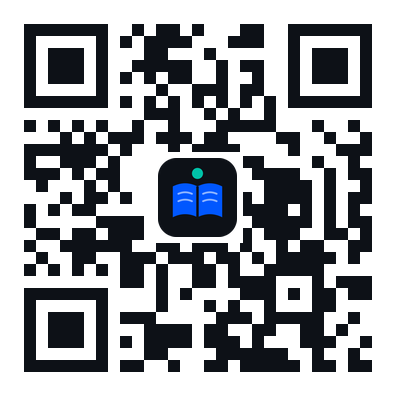
Scan to open this page on your phone

Savoira Learning
Online classes: notes, homework, quizzes and marks for every class of your timetable. Log in with your Savoira username and password. For Android 10 and newer.
Version 1.0.0 Beta · about 40 KB · works next to the Savoira app
Koha Library
The school library catalogue: search books, see what is available, and log in with your library card to see your loans, renew them and place holds. For Android 10 and newer.
Version 1.0.0 Beta · about 40 KB · Koha by adnanali.dev
How to install
- Tap the Download button of the app you want. If Chrome asks, tap Download anyway.
- Open the downloaded file. Android asks to allow installing apps from Chrome: tap Settings, turn on Allow from this source, then go back.
- Tap Install. If Play Protect shows a warning about an unknown developer, tap More details → Install anyway. The app is not on Google Play yet during the beta.
- Open the app (Savoira Beta, Savoira Learning Beta or Koha Library Beta), enter the code or web address given by your school, and log in.
New versions: download and install again from this page; your login is kept.
iPhone, or no download? Install the web app
Works on every phone, no download needed.
- Open sis.adnanali.dev (or your school's Savoira address).
- Android (Chrome): tap Install app on the login page, or menu ⋮ → Add to Home screen.
- iPhone (Safari): tap Share ↑ → Add to Home Screen.
- Koha Library: open koha.adnanali.dev (or your library's catalogue address) in the browser.
- Savoira Learning: open lms.adnanali.dev (or your school's Savoira Learning address) in the browser; the same Add to Home Screen steps work.